네트워크 데이터 베이스
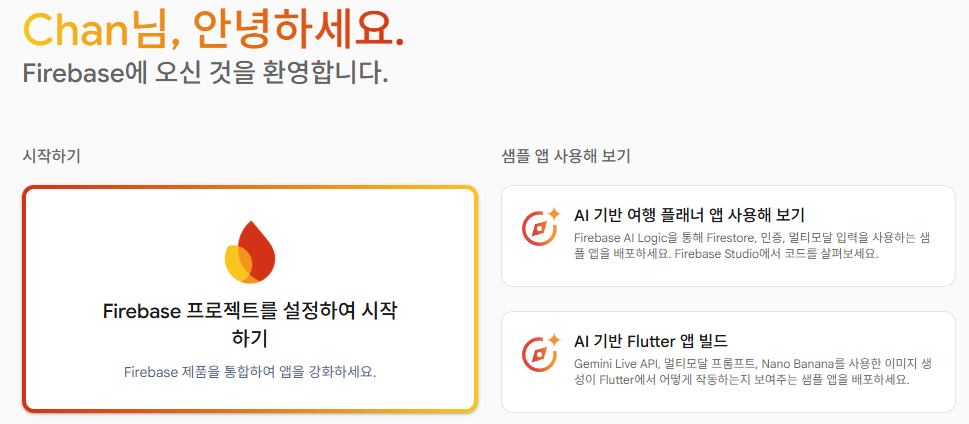

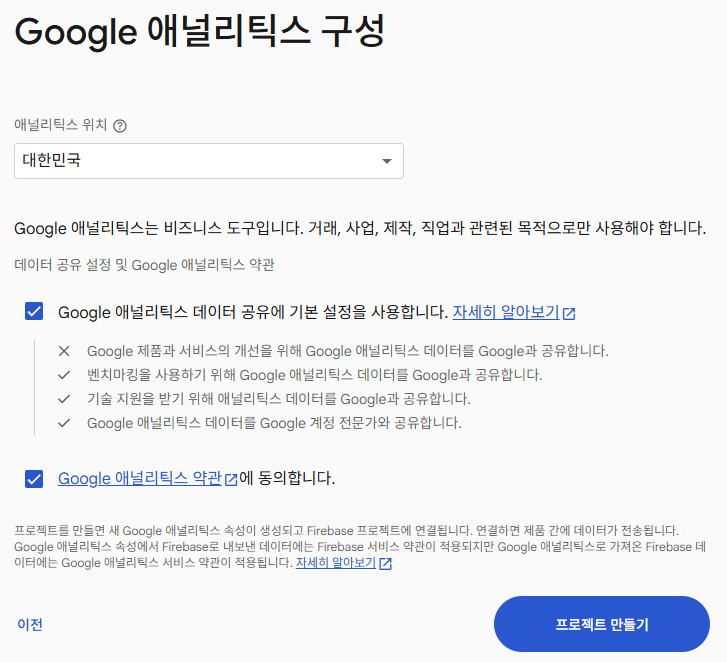

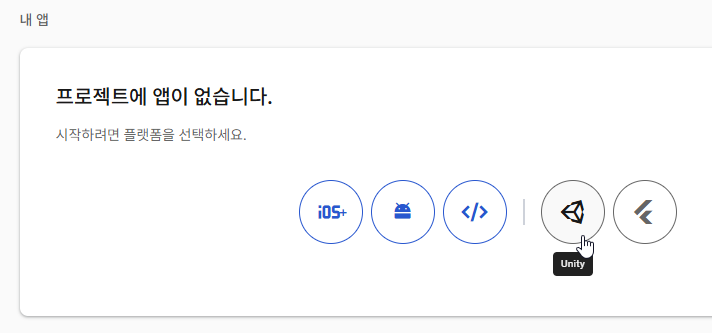


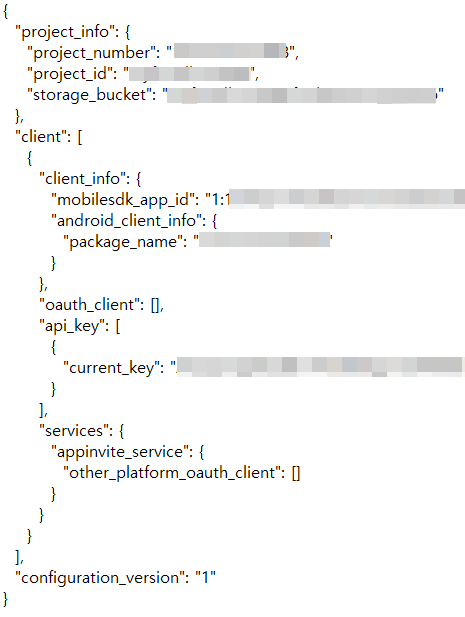
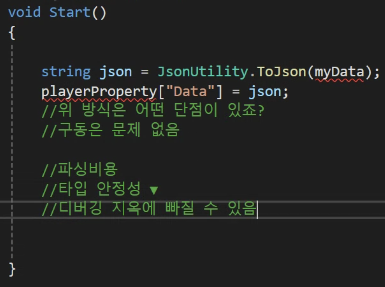
- Json 파일은 절대 public 으로 노출되면 안된다.

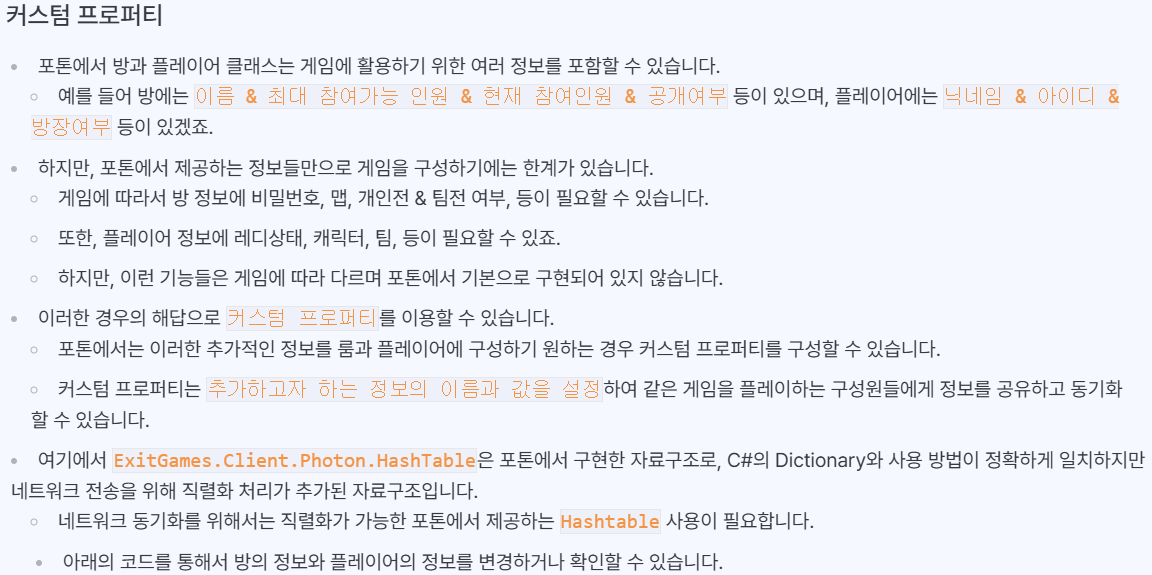
oom room = PhotonNetwork.CurrentRoom;  // 현재 참가한 룸을 확인

// 룸 커스텀 프로퍼티 설정
ExitGames.Client.Photon.Hashtable roomProperty = new ExitGames.Client.Photon.Hashtabl> ();
roomProperty["Map"] = "Select Map";
room.SetCustomProperties(roomProperty);

// 룸 커스텀 프로퍼티 확인
string curMap = (string)room.CustomProperties["Map"];

Player player = PhotonNetwork.LocalPlayer;  // 자신 플레이어를 확인

// 플레이어 커스텀 프로퍼티 설정
ExitGames.Client.Photon.Hashtable playerProperty = new ExitGames.Client.Photon> Hashtable();
playerProperty["Ready"] = true;
player.SetCustomProperties(playerProperty);

// 플레이어 커스텀 프로퍼티 확인
bool ready = (bool)player.CustomProperties["Ready"];
public class NetworkManager : MonoBehaviourPunCallbacks
{
public override void OnRoomPropertiesUpdate(ExitGames.Client.Photon.Hashtable propertiesThatChanged)
{
// 현재 참여한 방의 프로퍼티가 업데이트시 호출됨
}
public override void OnPlayerPropertiesUpdate(Player targetPlayer, ExitGames.Client.Photon.Hashtable changedProps)
{
// 같은 방의 플레이어의 프로퍼티가 업데이트시 호출됨
}
}

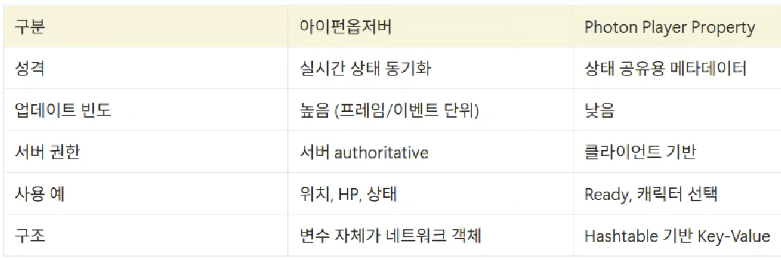
└ 이벤트와 업데이트 차이

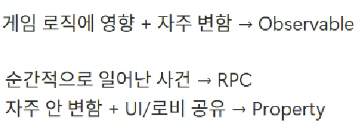
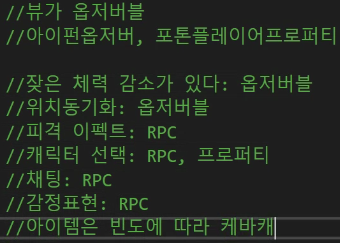
- RPC 는 너무 많이 쓰면 성능이 좋지 않음,
( 함수를 호출한다. 네트워크 부하 , RPC 스팸 일어나면 중복, 순서 등 문제 발생 ) - 변수동기화는 콜백도 없고 함수 호출도 강제되지 않는다. 하지만 네트워크 틱마다 호출
- 커스텀프로퍼티는 변하면 콜백을 날려야 한다 ( 콜백 계열이라 실시간 처리에 부적합함 )
- 랜덤은 한명이 기준점을 잡고 랜덤을 뽑고 그 값을 RPC

- 방장이 나가도 살아있어야 하나?
- 누가 만들었는지가 중요한가?
- 마스터만 제어하는 게 맞나?
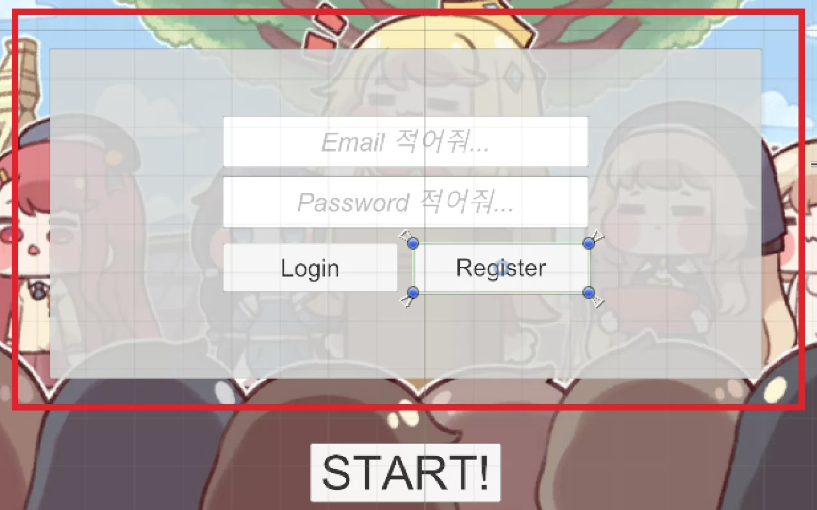
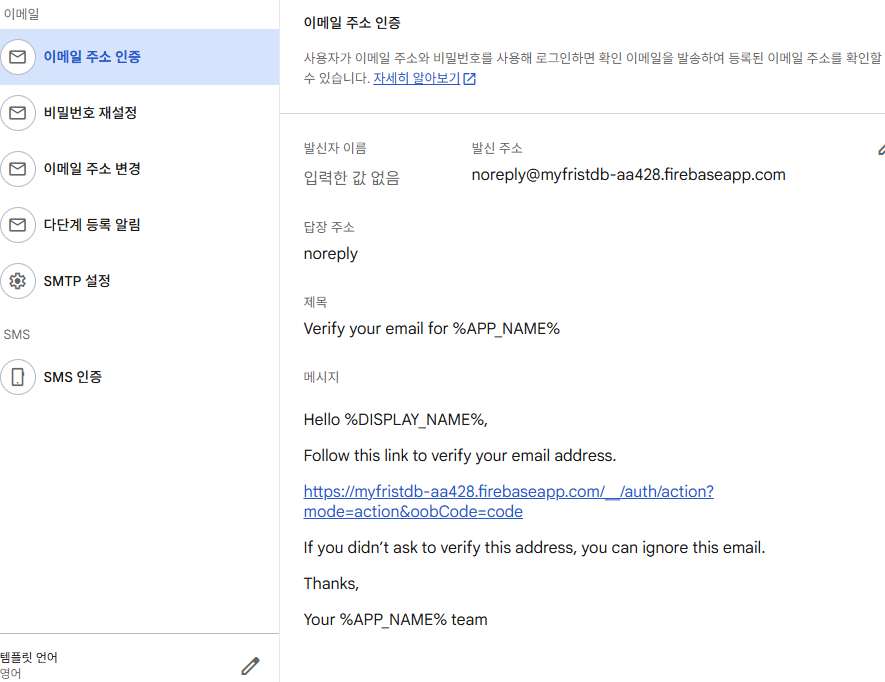
using UnityEngine;
using UnityEngine.UI;
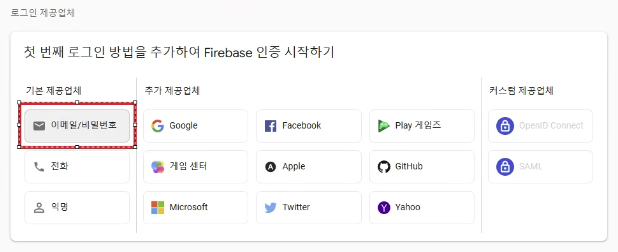
using Firebase.Auth; // 로그인 기능을 쓰기 위해 필요
using Firebase; // 기본
using Firebase.Extensions; // 비동기를 위해 사용
using TMPro;

public class FirebaseAuthManager : MonoBehaviour
{
    public FirebaseAuth auth; // 인증 진행을 위한 객체
    public FirebaseUser user; // 인증이 다 되고 나서, 인증된 유저 정보 들고 있게함, 웹개발로 치면 토큰

    [SerializeField] Button startButton;
    [SerializeField] TMP_InputField emailField;
    [SerializeField] TMP_InputField pwField;

    private void Start()
    {
        // 프로그램 구동과 동시에, 알아서 프로젝트와 맞지 않는 코드들 다 고쳐줌
        // 비동기 작업은 중간 내역을 확인하기 어렵다
        // 문제는? PC 가 아닌 모바일 같은 플랫폼에서 아래 코드 수행 ContinueWithOnMainThread 로 변경 (기존 ContinueWith)
        Firebase.FirebaseApp.CheckAndFixDependenciesAsync().ContinueWithOnMainThread(task =>
        {
            var dependencyStatus = task.Result; // 비동기 작업 결과를 기억시킴
            if(dependencyStatus == Firebase.DependencyStatus.Available) // 가능하다는 결과 받았으면?
            {
                auth = Firebase.Auth.FirebaseAuth.DefaultInstance; // 인증 정보 기억시킴
                startButton.interactable = true; // 초기화 성공 후 인게임 버튼 활성화
            }
            else
            {
                // 실패하면 로그 띄운다
                UnityEngine.Debug.LogError(System.String.Format("뭔가 잘못되었음 " + dependencyStatus));
            }
        });
    }

    public void Login()
    {
        auth.SignInWithEmailAndPasswordAsync(emailField.text, pwField.text).ContinueWithOnMainThread(task =>
        {
            if(task.IsFaulted)
            {
                Debug.Log("로그인 오류");
                return;
            }
            if(task.IsCanceled)
            {
                Debug.Log("로그인 취소");
                return;
            }
            // 지금 이 시점에선, 로그인 완료된 정보가 task 에 들어있음

            user = task.Result.User;
        });
    }

    public void Register()
    {
        auth.CreateUserWithEmailAndPasswordAsync(emailField.text, pwField.text).ContinueWithOnMainThread(task =>
        {
            if (task.IsFaulted)
            {
                Debug.Log("회원가입 오류");
                return;
            }
            if (task.IsCanceled)
            {
                Debug.Log("회원가입 취소");
                return;
            }
            // 지금 이 시점에선, 로그인 완료된 정보가 task 에 들어있음

            user = task.Result.User;
        });
    }
}- 파이어베이스는 로컬로 관리하고
- 깃 이그노어에 추가하는 것이 좋다
▼ 위의 코드를 리팩토링해보자
using UnityEngine;
using UnityEngine.UI;
using Firebase.Auth; // 로그인 기능을 쓰기 위해 필요
using Firebase; // 기본
using Firebase.Extensions; // 비동기를 위해 사용
using TMPro;
using System.Collections;
using System.Threading.Tasks;

public class FirebaseAuthManager : MonoBehaviour
{
    public FirebaseAuth auth; // 인증 진행을 위한 객체
    static public FirebaseUser user; // 인증이 다 되고 나서, 인증된 유저 정보 들고 있게함, 웹개발로 치면 토큰

    [SerializeField] Button startButton;
    [SerializeField] TMP_InputField emailField;
    [SerializeField] TMP_InputField pwField;
    [SerializeField] TMP_InputField nickField; // 닉네임 기억할 것

    public TextMeshProUGUI warningText;
    public TextMeshProUGUI confirmText;

    private void Awake()
    {
        // 프로그램 구동과 동시에, 알아서 프로젝트와 맞지 않는 코드들 다 고쳐줌
        // 비동기 작업은 중간 내역을 확인하기 어렵다
        // 문제는? PC 가 아닌 모바일 같은 플랫폼에서 아래 코드 수행 ContinueWithOnMainThread 로 변경 (기존 ContinueWith)
        Firebase.FirebaseApp.CheckAndFixDependenciesAsync().ContinueWithOnMainThread(task =>
        {
            var dependencyStatus = task.Result; // 비동기 작업 결과를 기억시킴
            if (dependencyStatus == Firebase.DependencyStatus.Available) // 가능하다는 결과 받았으면?
            {
                auth = Firebase.Auth.FirebaseAuth.DefaultInstance; // 인증 정보 기억시킴
                //startButton.interactable = true; // 초기화 성공 후 인게임 버튼 활성화
            }
            else
            {
                // 실패하면 로그 띄운다
                UnityEngine.Debug.LogError(System.String.Format("뭔가 잘못되었음 " + dependencyStatus));
            }
        });
    }

    private void Start()
    {
        startButton.interactable = false; // 시작할 땐 일단 꺼두기
        warningText.text = "";
        confirmText.text = "";
    }

    public void Login()
    {
        StartCoroutine(LoginCor(emailField.text, pwField.text));
    }

    IEnumerator LoginCor(string email, string password)
    {
        Task<AuthResult> LoginTask = auth.SignInWithEmailAndPasswordAsync(email, password);

        yield return new WaitUntil(predicate: () => LoginTask.IsCompleted);

        if(LoginTask.Exception != null) // 로그인에서 문제가 있으면 Exception 에 담김
        {
            Debug.Log("다음과 같은 이유로 로그인 실패: " + LoginTask.Exception);

            // 파이어베이스에서는 에러를 분석할 수 있는 형식을 제공한다
            FirebaseException firebaseEx = LoginTask.Exception.GetBaseException() as FirebaseException;
            AuthError errorCode = (AuthError)firebaseEx.ErrorCode; // 진짜 해석 가능한 형태로 바꿈

            string message = "";
            switch(errorCode)
            {
                case AuthError.MissingEmail:
                    message = "Missing Email";
                    break;
                case AuthError.MissingPassword:
                    message = " Missing Password";
                    break;
                case AuthError.WrongPassword:
                    message = "Wrong Password";
                    break;
                case AuthError.InvalidEmail:
                    message = "Invalid Email";
                    break;
                case AuthError.UserNotFound:
                    message = "User Not Found";
                    break;
                default:
                    message = "Contact your administrator.";
                    break;
            }
            warningText.text = message;
        }
        else // 여기까지 왔다면 성공했다는 뜻
        {
            user = LoginTask.Result.User; // 로그인 잘 되었으니, 유저 정보를 기억
            warningText.text = "";
            nickField.text = user.DisplayName; // 파이어베이스 상에 기억된 닉네임을 가져옴
            confirmText.text = "Welcome " + user.DisplayName;
            startButton.interactable = true; // 로그인 다 해야지만 게임 접속 가능
        }
    }

    IEnumerator RegisterCor(string email, string password, string userName)
    {
        Task<AuthResult> RegisterTask = auth.CreateUserWithEmailAndPasswordAsync(email, password);
        yield return new WaitUntil(predicate: () => RegisterTask.IsCompleted);

        if (RegisterTask.Exception != null)
        {
            Debug.LogWarning(message: "실패 사유" + RegisterTask.Exception);
            FirebaseException firebaseEx = RegisterTask.Exception.GetBaseException() as FirebaseException;
            AuthError errorCode = (AuthError)firebaseEx.ErrorCode;

            string message = "Regist Fail";
            switch (errorCode)
            {
                case AuthError.MissingEmail:
                    message = "Missing Email";
                    break;
                case AuthError.MissingPassword:
                    message = "Missing Password";
                    break;
                case AuthError.WeakPassword:
                    message = "Weak Password";
                    break;
                case AuthError.EmailAlreadyInUse:
                    message = "Email Already in use.";
                    break;
                default:
                    message = "Contact your administrator.";
                    break;
            }
            warningText.text = message;
        }
        else // 생성 완료
        {
            user = RegisterTask.Result.User;

            if(user != null)
            {
                // ▼ 로컬에서 만든것
                UserProfile profile = new UserProfile { DisplayName = userName };

                // ▼ 파이어베이스에 업로드
                Task profileTask = user.UpdateUserProfileAsync(profile);
                yield return new WaitUntil(predicate: () => profileTask.IsCompleted); // 완료까지 기다려줌

                if(profileTask.Exception != null)
                {
                    Debug.LogWarning("닉네임 설정 실패" + profileTask.Exception);
                    FirebaseException firebaseEx = profileTask.Exception.GetBaseException() as FirebaseException;
                    AuthError errorCode = (AuthError)firebaseEx.ErrorCode;
                    warningText.text = "Failed set Nickname.";
                }
                else
                {
                    warningText.text = "";
                    confirmText.text = "Nickname confirmed. Welcome " + user.DisplayName;
                }
            }
        }
    }

    public void Register()
    {
        StartCoroutine(RegisterCor(emailField.text, pwField.text, nickField.text));
    }
}
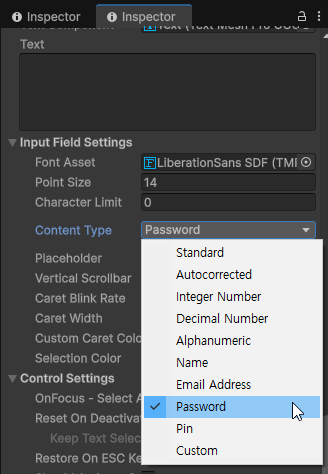
▼ 사용자 프로필 가져오기
FirebaseUser user = BackendManager.Auth.CurrentUser;
if (user == null)
    return;

string name = user.DisplayName;         // 공개용 이름
string email = user.Email;              // 이메일 주소
bool verified = user.IsEmailVerified;   // 이메일 인증여부
System.Url url = user.PhotoUrl;         // 사진 URL 주소
string uid = user.UserId;               // 고유 아이디 (파이어베이스 사용자 식별용)
▼ 인증 메일 보내기
FirebaseUser user = BackendManager.Auth.CurrentUser;
if (user == null)
    return;

user.SendEmailVerificationAsync().ContinueWithOnMainThread(task =>
{
    if (task.IsCanceled)
    {
        Debug.LogError("SendEmailVerificationAsync was canceled.");
        return;
    }
    if (task.IsFaulted)
    {
        Debug.LogError("SendEmailVerificationAsync encountered an error: " + task.Exception);
        return;
    }

    Debug.Log("Email sent successfully.");
});
'📖TIL' 카테고리의 다른 글
| 260109 커맨드 패턴 (0) | 2026.01.09 |
|---|---|
| 260109 네트워크 데이터 드리븐 (0) | 2026.01.09 |
| 260107 네트워크 게임플레이 (0) | 2026.01.07 |
| 260106 (0) | 2026.01.06 |
| 260106 매치메이킹 (0) | 2026.01.06 |