데이터를 저장하고 직접 사용
Firebase 데이터 베이스를 구성하고 사용할 수 있다.
데이터 베이스 사용을 위해 데이터를 구조화하여 다룰 수 있다.


실시간 데이터베이스 보안 규칙
https://firebase.google.com/docs/database/security/core-syntax?hl=ko&authuser=0
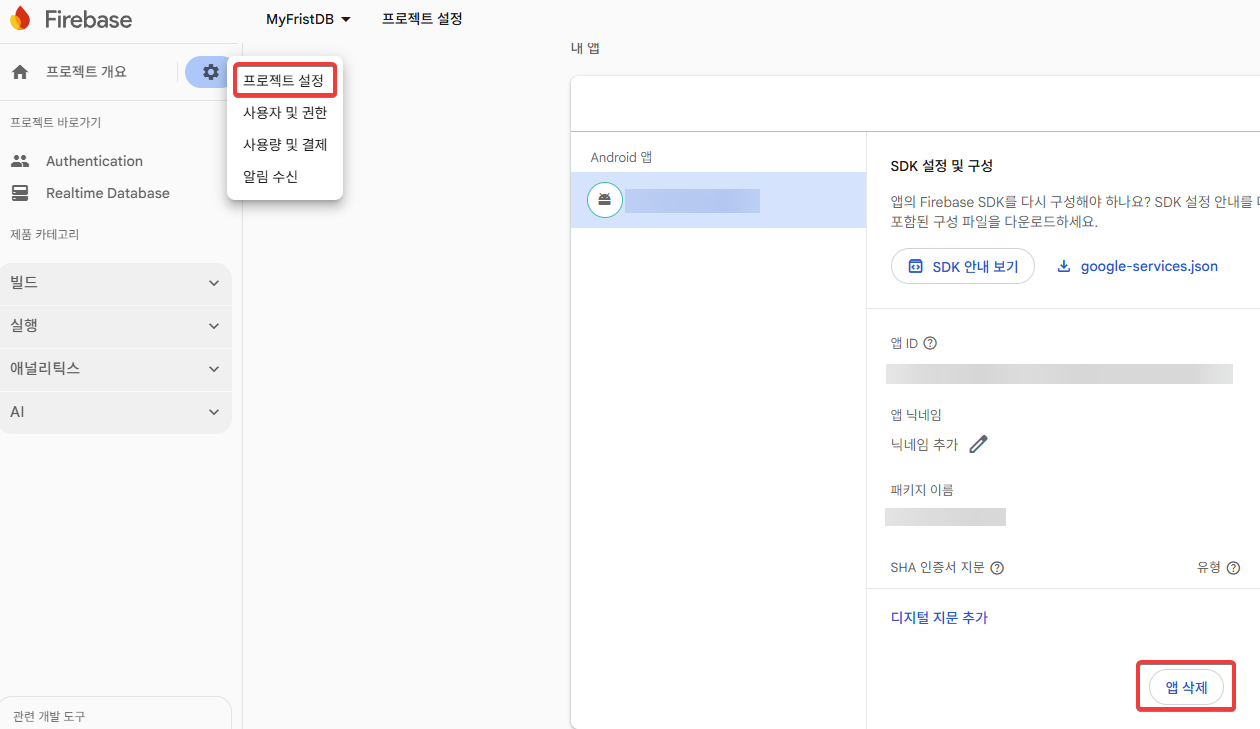
문제가 생겼을때 앱 삭제를 진행하면 된다
google-services.json 파일은 반드시 Asset 폴더 안에 있어야한다.
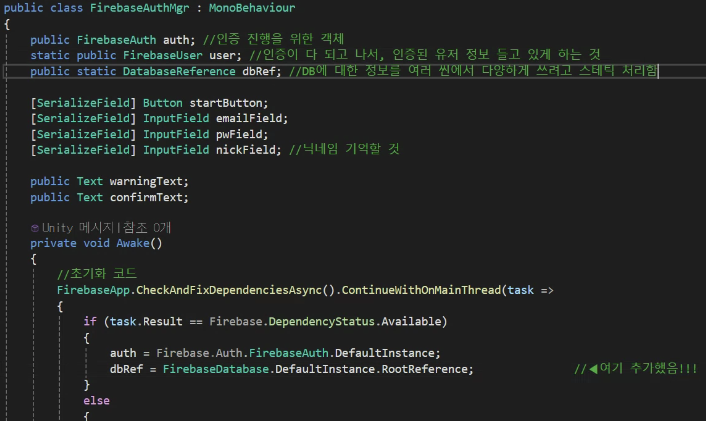
using UnityEngine;
using UnityEngine.UI;
using Firebase.Auth; // 로그인 기능을 쓰기 위해 필요
using Firebase.Database; // 파이어베이스 데이터베이스를 임포트 하면 쓸수 있는 DB 기능
using Firebase; // 기본
using Firebase.Extensions; // 비동기를 위해 사용
using TMPro;
using System.Collections;
using System.Threading.Tasks;

public class FirebaseAuthManager : MonoBehaviour
{
    public FirebaseAuth auth; // 인증 진행을 위한 객체
    static public FirebaseUser user; // 인증이 다 되고 나서, 인증된 유저 정보 들고 있게함, 웹개발로 치면 토큰
    static public DatabaseReference dbRef; // DB에 대한 정보를 여러 씬에서 다양하게 쓰려고 스태틱 처리함

    [SerializeField] Button startButton;
    [SerializeField] TMP_InputField emailField;
    [SerializeField] TMP_InputField pwField;
    [SerializeField] TMP_InputField nickField; // 닉네임 기억할 것

    public TextMeshProUGUI warningText;
    public TextMeshProUGUI confirmText;

    private void Awake()
    {
        // 프로그램 구동과 동시에, 알아서 프로젝트와 맞지 않는 코드들 다 고쳐줌
        // 비동기 작업은 중간 내역을 확인하기 어렵다
        // 문제는? PC 가 아닌 모바일 같은 플랫폼에서 아래 코드 수행 ContinueWithOnMainThread 로 변경 (기존 ContinueWith)
        Firebase.FirebaseApp.CheckAndFixDependenciesAsync().ContinueWithOnMainThread(task =>
        {
            var dependencyStatus = task.Result; // 비동기 작업 결과를 기억시킴
            if (dependencyStatus == Firebase.DependencyStatus.Available) // 가능하다는 결과 받았으면?
            {
                auth = Firebase.Auth.FirebaseAuth.DefaultInstance; // 인증 정보 기억시킴
                //startButton.interactable = true; // 초기화 성공 후 인게임 버튼 활성화
                dbRef = FirebaseDatabase.DefaultInstance.RootReference;
            }
            else
            {
                // 실패하면 로그 띄운다
                UnityEngine.Debug.LogError(System.String.Format("뭔가 잘못되었음 " + dependencyStatus));
            }
        });
    }

    private void Start()
    {
        startButton.interactable = false; // 시작할 땐 일단 꺼두기
        warningText.text = "";
        confirmText.text = "";
    }

    public void Login()
    {
        StartCoroutine(LoginCor(emailField.text, pwField.text));
    }

    IEnumerator LoginCor(string email, string password)
    {
        Task<AuthResult> LoginTask = auth.SignInWithEmailAndPasswordAsync(email, password);

        yield return new WaitUntil(predicate: () => LoginTask.IsCompleted);

        if(LoginTask.Exception != null) // 로그인에서 문제가 있으면 Exception 에 담김
        {
            Debug.Log("다음과 같은 이유로 로그인 실패: " + LoginTask.Exception);

            // 파이어베이스에서는 에러를 분석할 수 있는 형식을 제공한다
            FirebaseException firebaseEx = LoginTask.Exception.GetBaseException() as FirebaseException;
            AuthError errorCode = (AuthError)firebaseEx.ErrorCode; // 진짜 해석 가능한 형태로 바꿈

            string message = "";
            switch(errorCode)
            {
                case AuthError.MissingEmail:
                    message = "Missing Email";
                    break;
                case AuthError.MissingPassword:
                    message = " Missing Password";
                    break;
                case AuthError.WrongPassword:
                    message = "Wrong Password";
                    break;
                case AuthError.InvalidEmail:
                    message = "Invalid Email";
                    break;
                case AuthError.UserNotFound:
                    message = "User Not Found";
                    break;
                default:
                    message = "Contact your administrator.";
                    break;
            }
            warningText.text = message;
        }
        else // 여기까지 왔다면 성공했다는 뜻
        {
            user = LoginTask.Result.User; // 로그인 잘 되었으니, 유저 정보를 기억
            warningText.text = "";
            nickField.text = user.DisplayName; // 파이어베이스 상에 기억된 닉네임을 가져옴
            confirmText.text = "Welcome " + user.DisplayName;
            startButton.interactable = true; // 로그인 다 해야지만 게임 접속 가능
        }
    }

    IEnumerator RegisterCor(string email, string password, string userName)
    {
        Task<AuthResult> RegisterTask = auth.CreateUserWithEmailAndPasswordAsync(email, password);
        yield return new WaitUntil(predicate: () => RegisterTask.IsCompleted);

        if (RegisterTask.Exception != null)
        {
            Debug.LogWarning(message: "실패 사유" + RegisterTask.Exception);
            FirebaseException firebaseEx = RegisterTask.Exception.GetBaseException() as FirebaseException;
            AuthError errorCode = (AuthError)firebaseEx.ErrorCode;

            string message = "Regist Fail";
            switch (errorCode)
            {
                case AuthError.MissingEmail:
                    message = "Missing Email";
                    break;
                case AuthError.MissingPassword:
                    message = "Missing Password";
                    break;
                case AuthError.WeakPassword:
                    message = "Weak Password";
                    break;
                case AuthError.EmailAlreadyInUse:
                    message = "Email Already in use.";
                    break;
                default:
                    message = "Contact your administrator.";
                    break;
            }
            warningText.text = message;
        }
        else // 생성 완료
        {
            user = RegisterTask.Result.User;

            if(user != null)
            {
                // ▼ 로컬에서 만든것
                UserProfile profile = new UserProfile { DisplayName = userName };

                // ▼ 파이어베이스에 업로드
                Task profileTask = user.UpdateUserProfileAsync(profile);
                yield return new WaitUntil(predicate: () => profileTask.IsCompleted); // 완료까지 기다려줌

                if(profileTask.Exception != null)
                {
                    Debug.LogWarning("닉네임 설정 실패" + profileTask.Exception);
                    FirebaseException firebaseEx = profileTask.Exception.GetBaseException() as FirebaseException;
                    AuthError errorCode = (AuthError)firebaseEx.ErrorCode;
                    warningText.text = "Failed set Nickname.";
                }
                else
                {
                    warningText.text = "";
                    confirmText.text = "Nickname confirmed. Welcome " + user.DisplayName;
                }
            }
        }
    }

    public void Register()
    {
        StartCoroutine(RegisterCor(emailField.text, pwField.text, nickField.text));
    }
}- predicate: 참 거짓이 나올 메서드라고 명시적으로 작성
using Firebase; // 기본 기능
using Firebase.Auth;
using Firebase.Database; // DB 기능
using System.Collections; // 인증정보 기능
using System.Threading.Tasks;
using TMPro;
using UnityEngine;
using UnityEngine.UI;

public class FirebaseDBManager : MonoBehaviour
{
    DatabaseReference dbRef;
    FirebaseUser user;

    [SerializeField] TMP_InputField moneyField;
    [SerializeField] TMP_InputField expField;
    [SerializeField] TMP_InputField levelField;

    void Start()
    {
        this.dbRef = FirebaseAuthManager.dbRef;
        this.user = FirebaseAuthManager.user;
    }

    public void SaveToDB()
    {
        StartCoroutine(UpdateMoney(int.Parse(moneyField.text)));
        StartCoroutine(UpdateLevel(int.Parse(levelField.text)));
        StartCoroutine(UpdateExp(int.Parse(expField.text)));
    }

    public void LoadFromDB()
    {
        StartCoroutine(LoadUserData());
    }

    private IEnumerator LoadUserData()
    {
        var DBTask = dbRef.Child("users").Child(user.UserId).GetValueAsync();
        yield return new WaitUntil(predicate: () => DBTask.IsCompleted);

        if(DBTask.Exception != null)
        {
            Debug.LogWarning("데이터 불러오기 실패 " + DBTask.Exception);
        }
        else if (DBTask.Result.Value == null)
        {
            Debug.LogWarning("저장된 데이터가 없습니다.");
            yield break;
        }
        else
        {
            DataSnapshot snapShot = DBTask.Result; // 결과는 덩어리로 기억되어 있으니, 나중에 분석하고자 큰 틀에 담아둠
            moneyField.text = snapShot.Child("money").Exists ? snapShot.Child("money").Value.ToString() : "0";
            expField.text = snapShot.Child("exp").Exists ? snapShot.Child("exp").Value.ToString() : "0";
            levelField.text = snapShot.Child("lvl").Exists ? snapShot.Child("lvl").Value.ToString() : "0";

            Debug.Log("로드 성공함");
        }
    }

    private IEnumerator UpdateMoney(int money)
    {
        // 마치 속에 users 라는 이름의 폴더를 만들듯
        var DBTask = dbRef.Child("users").Child(user.UserId).Child("money").SetValueAsync(money);
        yield return new WaitUntil(predicate: () => DBTask.IsCompleted);

        if(DBTask.Exception != null)
        {
            Debug.LogWarning($"돈 업데이트 실패! 사유 {DBTask.Exception}");
        }
        else
        {
            // 만약 저장완료 팝업같은거 띄우고 싶다면 여기 작성
            // 저장완료를 3초간 띄우고, 페이드 아웃
        }
    }

    private IEnumerator UpdateExp(int exp)
    {
        // 마치 속에 users 라는 이름의 폴더를 만들듯
        var DBTask = dbRef.Child("users").Child(user.UserId).Child("exp").SetValueAsync(exp);
        yield return new WaitUntil(predicate: () => DBTask.IsCompleted);

        if (DBTask.Exception != null)
        {
            Debug.LogWarning($"경험치 업데이트 실패! 사유 {DBTask.Exception}");
        }
        else
        {
            // 만약 저장완료 팝업같은거 띄우고 싶다면 여기 작성
            // 저장완료를 3초간 띄우고, 페이드 아웃
        }
    }

    private IEnumerator UpdateLevel(int lvl)
    {
        // 마치 속에 users 라는 이름의 폴더를 만들듯
        var DBTask = dbRef.Child("users").Child(user.UserId).Child("lvl").SetValueAsync(lvl);
        yield return new WaitUntil(predicate: () => DBTask.IsCompleted);

        if (DBTask.Exception != null)
        {
            Debug.LogWarning($"레벨 업데이트 실패! 사유 {DBTask.Exception}");
        }
        else
        {
            // 만약 저장완료 팝업같은거 띄우고 싶다면 여기 작성
            // 저장완료를 3초간 띄우고, 페이드 아웃
        }
    }
}- 스냅샷 : 특정 시점의 상태를 통째로 저장
using Firebase; // 기본 기능
using Firebase.Auth;
using Firebase.Database; // DB 기능
using System.Collections; // 인증정보 기능
using System.Threading.Tasks;
using System.Collections.Generic; // 콜렉션에 담아서 한번에 보내려고 선언
using TMPro;
using UnityEngine;
using UnityEngine.UI;

public class FirebaseDBManager : MonoBehaviour
{
    DatabaseReference dbRef;
    FirebaseUser user;

    [SerializeField] TMP_InputField moneyField;
    [SerializeField] TMP_InputField expField;
    [SerializeField] TMP_InputField levelField;

    //const string

    public List<string> inventory = new List<string> { "TestItem1", "TestItem2", "TestItem3" };
    public Dictionary<string, int> inventoryDicVer = new Dictionary<string, int>()
    {
        { "DicTest1", 1 },
        { "DicTest2", 3 },
        { "DicTest3", 6 }
    };

    void Start()
    {
        this.dbRef = FirebaseAuthManager.dbRef;
        this.user = FirebaseAuthManager.user;
    }

    public void SaveInventoryAndDict()
    {
        dbRef.Child("users").Child(user.UserId).Child("Inventory").SetValueAsync(inventory); // 배열계열은 이렇게 딸깍
        // ▼ 딕셔너리는 오브젝트로 변환해서 올리는 작업이 필요
        Dictionary<string, object> invenDicObj = new Dictionary<string, object>();
        foreach(var kvp in inventoryDicVer)
        {
            invenDicObj[kvp.Key] = kvp.Value;
        }
        dbRef.Child("users").Child(user.UserId).Child("InvertoryDict").SetValueAsync(invenDicObj);
    }

    private IEnumerator LoadInvenCor()
    {
        var DBTask = dbRef.Child("users").Child(user.UserId).Child("Inventory").GetValueAsync();
        yield return new WaitUntil(predicate: () => DBTask.IsCompleted);

        if (DBTask.Exception != null)
        {
            Debug.LogWarning("인벤토리 불러오기 실패 " + DBTask.Exception);
        }
        else if (DBTask.Result.Value == null)
        {
            Debug.LogWarning("인벤토리가 비었습니다.");
            yield break;
        }
        else
        {
            inventory.Clear(); // 기존 로컬상의 인벤토리 깔끔하게 날리고
            foreach(DataSnapshot item in DBTask.Result.Children) // Child 는 하나, Children 은 여럿
            {
                inventory.Add(item.Value.ToString());
                // 로드 부하를 여러 프레임에 분산시킬 수도 있다.
                //yield return null;
            }

            Debug.Log("인벤토리 로드 완료" + string.Join(", ", inventory)); // 내용물, 단위로
        }
    }

    IEnumerator LoadInvertoryDictCoroutine()
    {
        var DBTask = dbRef.Child("users").Child(user.UserId).Child("InventoryDict").GetValueAsync();
        yield return new WaitUntil(predicate: () => DBTask.IsCompleted);

        if (DBTask.Exception != null)
        {
            Debug.LogWarning("인벤토리 딕셔너리 불러오기 실패! 사유 : " + DBTask.Exception);
        }
        else if (DBTask.Result.Value == null)
        {
            Debug.LogWarning("인벤토리 딕셔너리에 아이템이 없습니다.");
            yield break;
        }
        else
        {
            inventoryDicVer.Clear();

            foreach (DataSnapshot item in DBTask.Result.Children)
            {
                string key = item.Key;

                if (int.TryParse(item.Value.ToString(), out int value))
                {
                    inventoryDicVer[key] = value;
                }
                else
                {
                    Debug.LogWarning($"딕셔너리 값 변환 실패 : {item.Key} = {item.Value}");
                }
            }

            Debug.Log($"인벤토리 딕셔너리 로드 완료: {string.Join(", ", inventoryDicVer)}");
        }
    }

    public void LoadInventory()
    {
        StartCoroutine(LoadInvenCor());
    }

    // 창고 / 딕셔너리 로드
    public void LoadInvenDict()
    {
        StartCoroutine(LoadInvertoryDictCoroutine());
    }

    public void SaveToDB()
    {
        //StartCoroutine(UpdateMoney(int.Parse(moneyField.text)));
        //StartCoroutine(UpdateLevel(int.Parse(levelField.text)));
        //StartCoroutine(UpdateExp(int.Parse(expField.text)));
        SaveInventoryAndDict();
    }

    public void LoadFromDB()
    {
        StartCoroutine(LoadUserData());
    }

    private IEnumerator LoadUserData()
    {
        var DBTask = dbRef.Child("users").Child(user.UserId).GetValueAsync();
        yield return new WaitUntil(predicate: () => DBTask.IsCompleted);

        if(DBTask.Exception != null)
        {
            Debug.LogWarning("데이터 불러오기 실패 " + DBTask.Exception);
        }
        else if (DBTask.Result.Value == null)
        {
            Debug.LogWarning("저장된 데이터가 없습니다.");
            yield break;
        }
        else
        {
            DataSnapshot snapShot = DBTask.Result; // 결과는 덩어리로 기억되어 있으니, 나중에 분석하고자 큰 틀에 담아둠
            moneyField.text = snapShot.Child("money").Exists ? snapShot.Child("money").Value.ToString() : "0";
            expField.text = snapShot.Child("exp").Exists ? snapShot.Child("exp").Value.ToString() : "0";
            levelField.text = snapShot.Child("lvl").Exists ? snapShot.Child("lvl").Value.ToString() : "0";

            Debug.Log("로드 성공함");
        }
    }

    private IEnumerator UpdateMoney(int money)
    {
        // 마치 속에 users 라는 이름의 폴더를 만들듯
        var DBTask = dbRef.Child("users").Child(user.UserId).Child("money").SetValueAsync(money);
        yield return new WaitUntil(predicate: () => DBTask.IsCompleted);

        if(DBTask.Exception != null)
        {
            Debug.LogWarning($"돈 업데이트 실패! 사유 {DBTask.Exception}");
        }
        else
        {
            // 만약 저장완료 팝업같은거 띄우고 싶다면 여기 작성
            // 저장완료를 3초간 띄우고, 페이드 아웃
        }
    }

    private IEnumerator UpdateExp(int exp)
    {
        // 마치 속에 users 라는 이름의 폴더를 만들듯
        var DBTask = dbRef.Child("users").Child(user.UserId).Child("exp").SetValueAsync(exp);
        yield return new WaitUntil(predicate: () => DBTask.IsCompleted);

        if (DBTask.Exception != null)
        {
            Debug.LogWarning($"경험치 업데이트 실패! 사유 {DBTask.Exception}");
        }
        else
        {
            // 만약 저장완료 팝업같은거 띄우고 싶다면 여기 작성
            // 저장완료를 3초간 띄우고, 페이드 아웃
        }
    }

    private IEnumerator UpdateLevel(int lvl)
    {
        // 마치 속에 users 라는 이름의 폴더를 만들듯
        var DBTask = dbRef.Child("users").Child(user.UserId).Child("lvl").SetValueAsync(lvl);
        yield return new WaitUntil(predicate: () => DBTask.IsCompleted);

        if (DBTask.Exception != null)
        {
            Debug.LogWarning($"레벨 업데이트 실패! 사유 {DBTask.Exception}");
        }
        else
        {
            // 만약 저장완료 팝업같은거 띄우고 싶다면 여기 작성
            // 저장완료를 3초간 띄우고, 페이드 아웃
        }
    }
}
'📖TIL' 카테고리의 다른 글
| 원페이지 기획서 예시 (0) | 2026.01.09 |
|---|---|
| 260109 커맨드 패턴 (0) | 2026.01.09 |
| 260108 Firebase (0) | 2026.01.08 |
| 260107 네트워크 게임플레이 (0) | 2026.01.07 |
| 260106 (0) | 2026.01.06 |