에셋 번들 : 유니티에서 에셋을 묶어서 쉽게 관리할 수 있게 해주는 것
- 실무에서는 신입에게 에셋관리를 맡기지 않는다.
- 에셋번들은 기술, 어드레서블은 워크플로우
에셋 번들을 쉽게 관리할 수 있게 해주는 것이 어드레서블 ( Addressables )이다.
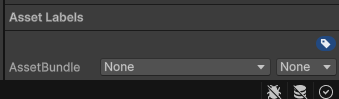
using UnityEngine;
using UnityEditor; // 유니티 에디터 건드릴 때 사용

public class AssetBundleBuilder
{
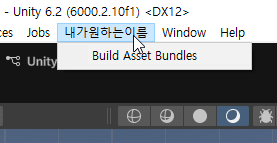
    // [MenuItem("내가원하는이름/Build Asset Bundles")] 메뉴 아이템으로 생성
    [MenuItem("내가원하는이름/Build Asset Bundles")]

    static void BuildAllAssetBundles()
    {
        string assetBundleDir = "Assets/AssetBundles"; // 주소 오타 없이

        BuildPipeline.BuildAssetBundles(
            assetBundleDir, // 경로
            BuildAssetBundleOptions.None, // 압축 방식
            BuildTarget.StandaloneWindows // 타겟 플랫폼
            );
    }
}
using UnityEngine;

public class AssetBundleLoader : MonoBehaviour
{
    void Start()
    {
        string bundlePath = "Assets/AssetBundles/testbundle";

        AssetBundle bundle = AssetBundle.LoadFromFile(bundlePath);

        if (bundle == null)
        {
            Debug.Log("에셋번들 못찾음");
            return;
        }

        string[] assetNames = bundle.GetAllAssetNames(); // 번들속 모든 에셋들 이름 가져올 수 있음
        Debug.Log(assetNames.Length); // 총 에셋 갯수 뽑아낼 수 있음

        foreach (string assetName in assetNames)
        {
            Debug.Log($"asset in bundle : {assetName}");
        }

        var barrel = bundle.LoadAsset<GameObject>("barrel_toxic_01");

        if (barrel != null)
        {
            Instantiate(barrel);
        }
        else
        {
            Debug.Log("Sometinh is wrong");
        }

        var mat = bundle.LoadAsset<Material>("Barrel_toxic_02");

        if (mat != null)
        {
            Debug.Log("Mat Load 성공");
        }
        else
        {
            Debug.Log("Sometinh is wrong");
        }

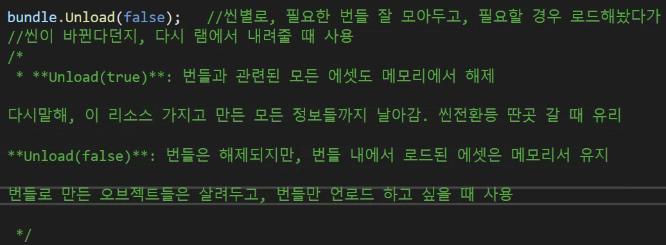
        bundle.Unload(false); // 씬별로 필요한 번들 잘 모아두고, 필요할 경우 로드해놨다가
        // 씬이 바뀐다던지, 다시 램에서 내려줄 때 사용
    }
}
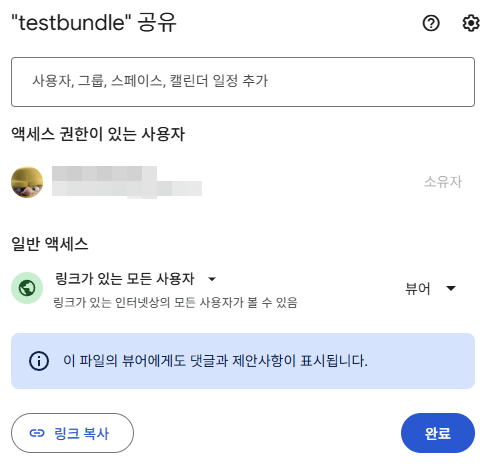
http://www.innerweb.kr/page/g_download
using System.Collections;
using UnityEngine;
using UnityEngine.Networking;

public class AssetBundleLoader : MonoBehaviour
{
    void Start()
    {
        string url = "https://docs.google.com/...";
        StartCoroutine(AssetBundleFromWeb(url));
    }

    // 웹에서 에셋 번들을 다운로드하고 로드하는 코루틴
    IEnumerator AssetBundleFromWeb(string url)
    {
        //AssetBundle bundle = AssetBundle.LoadFromFile(file); // 파일 경로에서 가져온다
        UnityWebRequest www = UnityWebRequestAssetBundle.GetAssetBundle(url); // URL에서 가져온다
        yield return www.SendWebRequest(); // 웹 요청이 완료될 때까지 기다린다
        // 웹과 소통하는 것은 대부분 비동기이다.

        if(www.result != UnityWebRequest.Result.Success) // 성공이 아니라면?
        {
            Debug.LogError("에셋 번들을 다운로드 할 수 없습니다" + www.error);
            yield break;
        }

        AssetBundle bundle = DownloadHandlerAssetBundle.GetContent(www); // www 속 에셋 번들을 가져오는 것

        if(bundle == null)
        {
            Debug.LogError("에셋 번들이 비어있습니다");
            yield break;
        }

        string[] assetNames = bundle.GetAllAssetNames(); // 번들속 모든 에셋들 이름 가져올 수 있음
        Debug.Log(assetNames.Length); // 총 에셋 갯수 뽑아낼 수 있음

        foreach (string assetName in assetNames)
        {
            Debug.Log($"asset in bundle : {assetName}");
        }

        var barrel = bundle.LoadAsset<GameObject>("barrel");

        if (barrel != null)
        {
            Instantiate(barrel);
        }
        else
        {
            Debug.Log("Sometinh is wrong");
        }

        var mat = bundle.LoadAsset<Material>("Barrel_toxic_02");

        if (mat != null)
        {
            Debug.Log("Mat Load 성공");
        }
        else
        {
            Debug.Log("Sometinh is wrong");
        }

        bundle.Unload(false); // 씬별로 필요한 번들 잘 모아두고, 필요할 경우 로드해놨다가
        // 씬이 바뀐다던지, 다시 램에서 내려줄 때 사용
    }
}
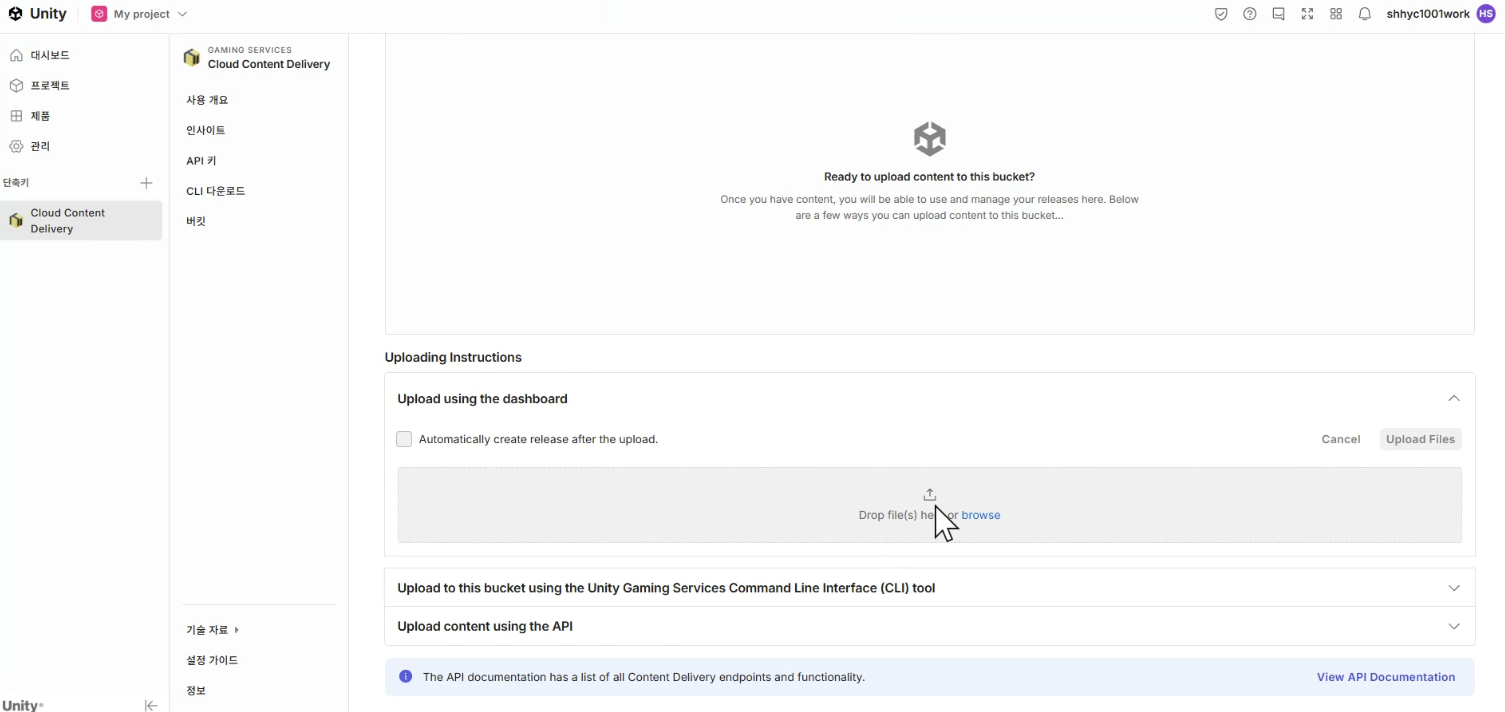
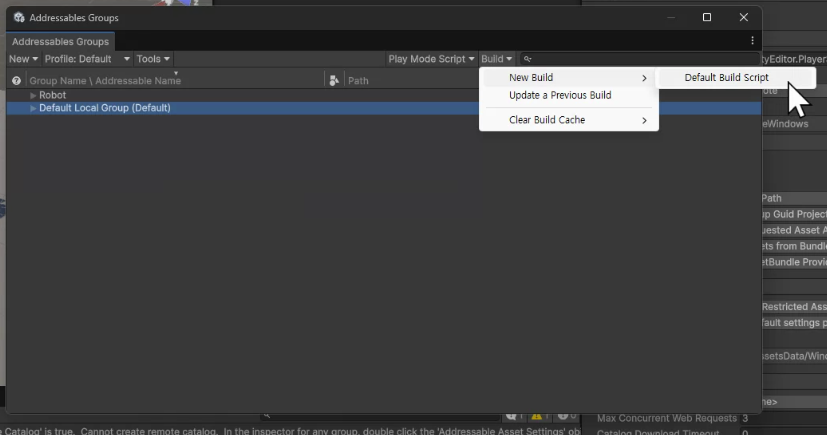
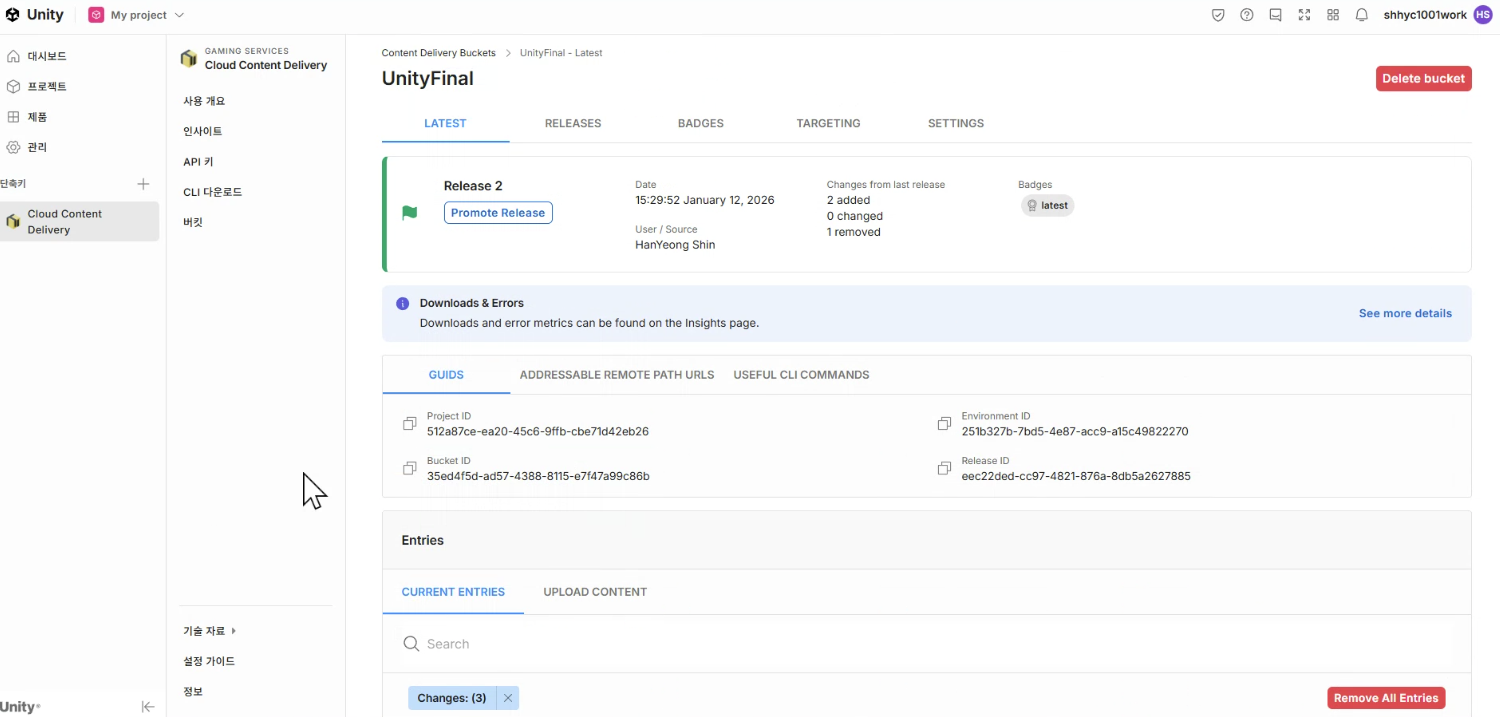
Addressables
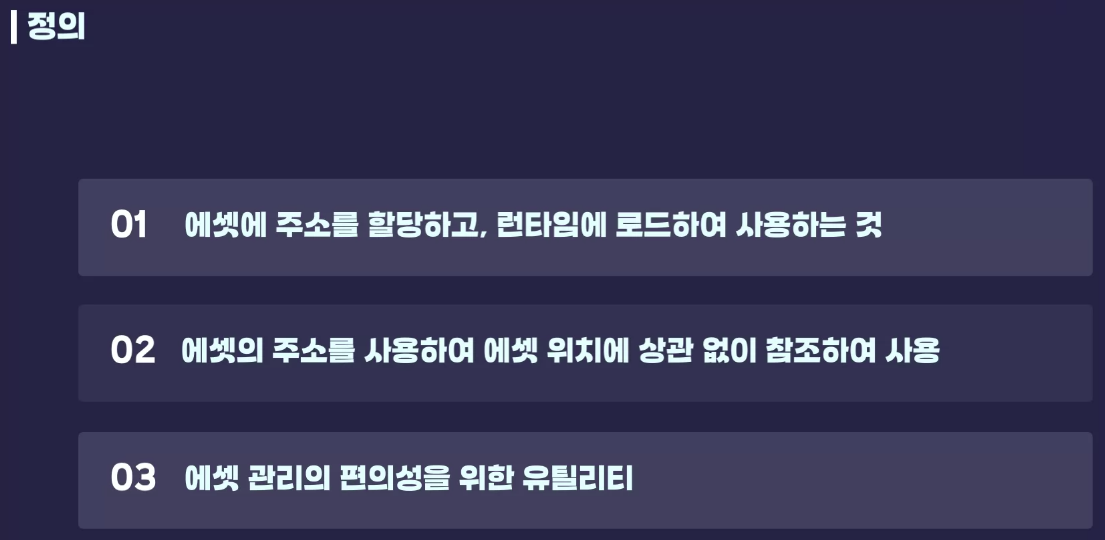
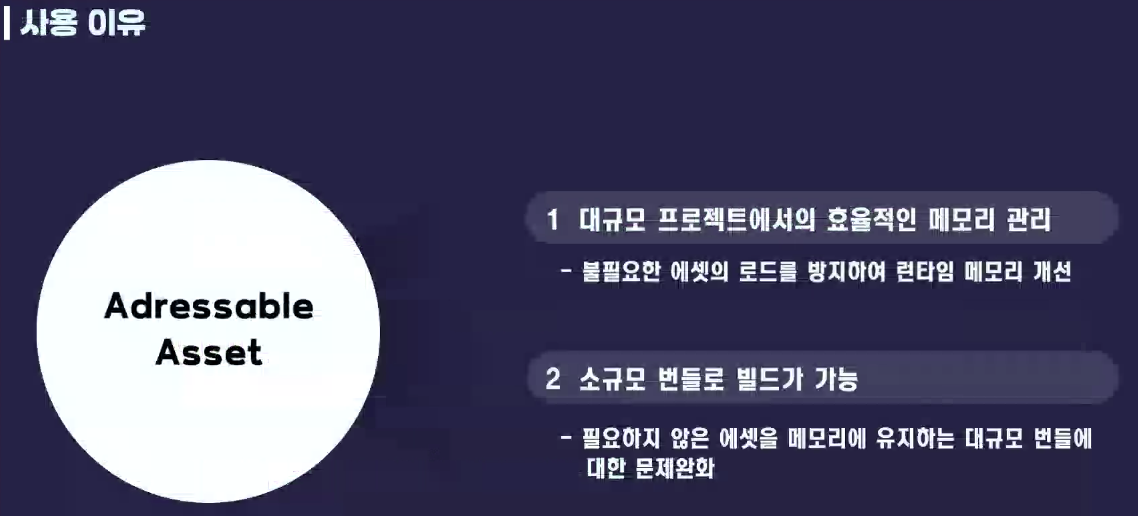
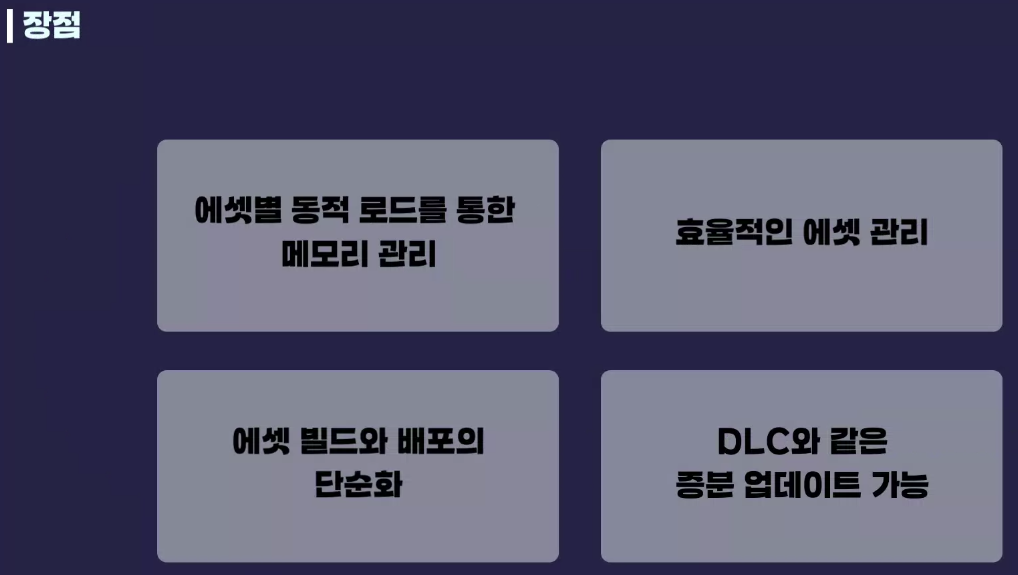
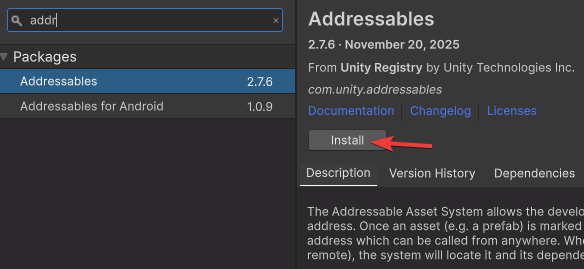
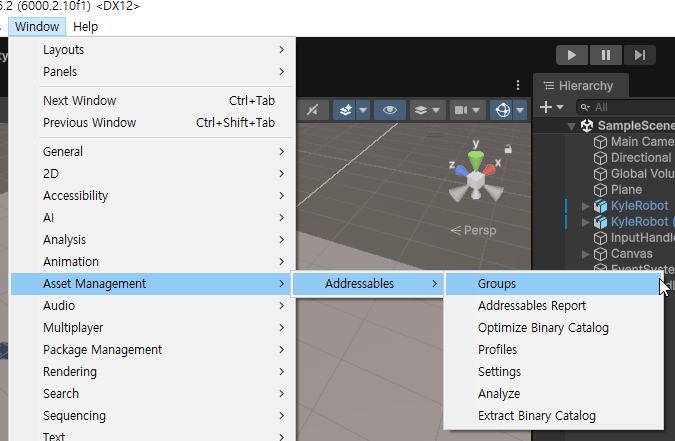
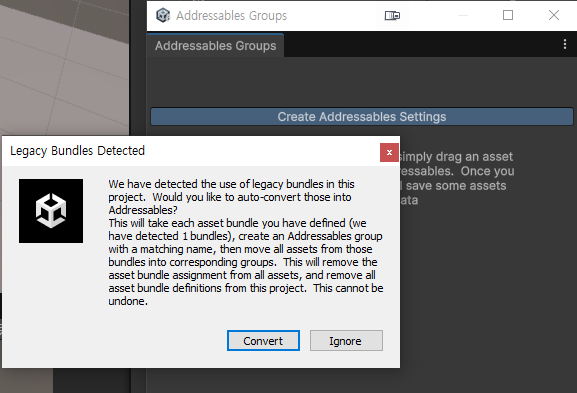
레거시 번들을 발견했는데 자동으로 업데이트 해줄까? 라는 내용
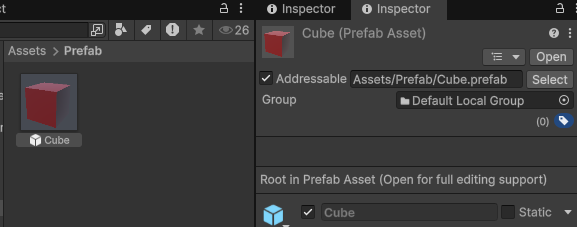

이름이 길면 바꾸면 된다

using UnityEngine;
using UnityEngine.AddressableAssets; // 어드래서블
using UnityEngine.ResourceManagement.AsyncOperations; // 리소스 관련 비동기 작업용

public class AddressablesLoader : MonoBehaviour
{
    public string prefabAddress = "CubeToInst"; // 어드레서블 이름

    private void Start()
    {
        // 에셋 불러오고, 성공하면 아래 메서드까지 수행하게 이벤트 등록
        Addressables.LoadAssetAsync<GameObject>(prefabAddress).Completed += OnPrefabLoaded; // 어드레서블에게 불러오라고 지시
    }

    void OnPrefabLoaded(AsyncOperationHandle<GameObject> handle)
    {
        if(handle.Status == AsyncOperationStatus.Succeeded)
        {
            Instantiate(handle.Result);
        }
    }
}
▼위의 코드를 리팩토링 해보자
using UnityEngine;
using UnityEngine.AddressableAssets; // 어드래서블
using UnityEngine.ResourceManagement.AsyncOperations; // 리소스 관련 비동기 작업용

public class AddressablesLoader : MonoBehaviour
{
    public string prefabAddress = "CubeToInst"; // 어드레서블 이름

    private void Start()
    {
        Addressables.InstantiateAsync(prefabAddress); // 리소스 로드를 하고, 다 하면 Instantiate 시킨다.
    }
}
using UnityEngine;
using UnityEngine.AddressableAssets; // 어드래서블
using UnityEngine.ResourceManagement.AsyncOperations; // 리소스 관련 비동기 작업용
public class AddressablesLoader : MonoBehaviour
{
[SerializeField] AssetReferenceGameObject cubeRef;
AsyncOperationHandle<GameObject> instanceHandle;
private void Start()
{
instanceHandle = cubeRef.InstantiateAsync(); // 리소스 로드를 하고, 다 하면 Instantiate 시킨다.
}
private void OnDestroy()
{
if(instanceHandle.IsValid()) // 에셋 로드하면 항상 풀어줘라
{
Addressables.ReleaseInstance(instanceHandle);
}
}
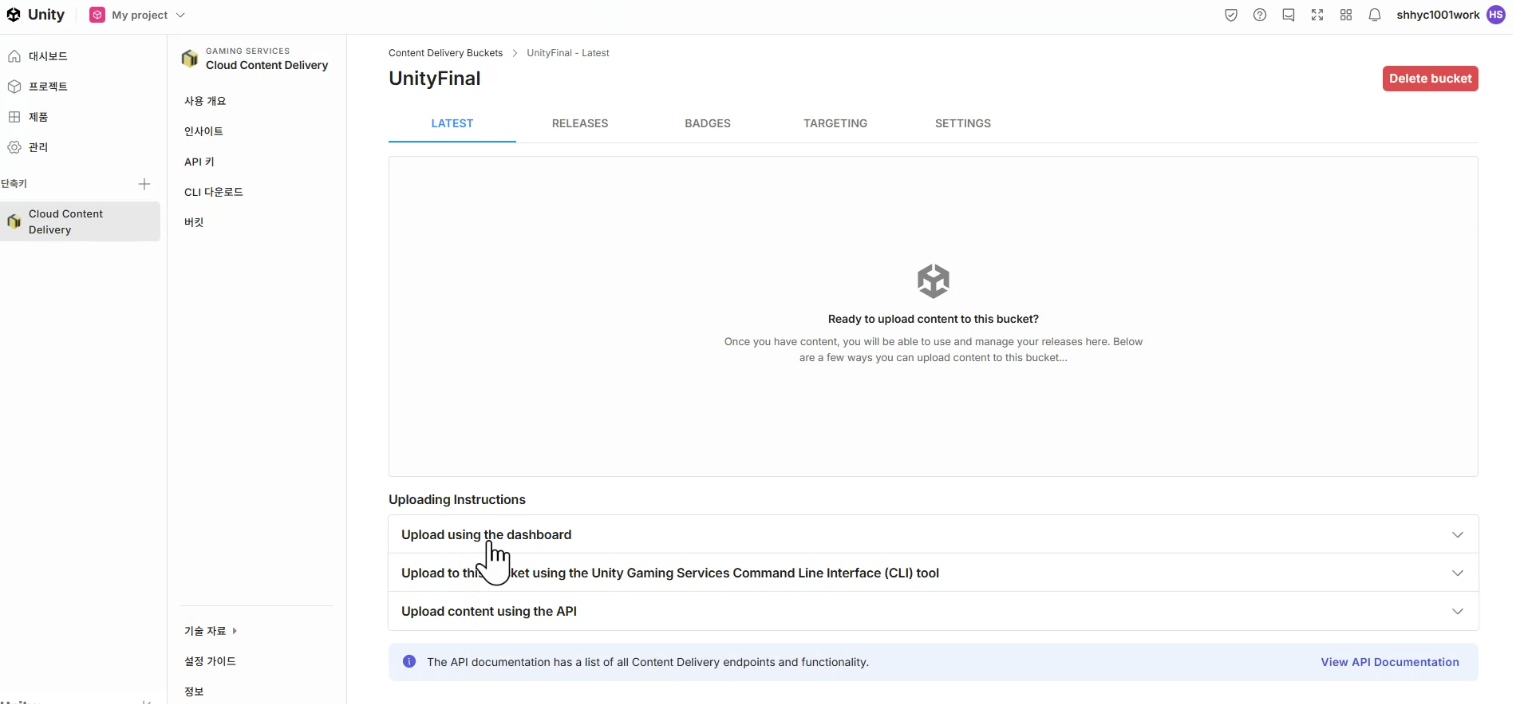
}https://unity.com/kr/features/liveops
'📖TIL' 카테고리의 다른 글
| 260120 (0) | 2026.01.20 |
|---|---|
| 260113 Addressable (0) | 2026.01.13 |
| 260112 커맨드패턴 (0) | 2026.01.12 |
| 원페이지 기획서 예시 (0) | 2026.01.09 |
| 260109 커맨드 패턴 (0) | 2026.01.09 |